

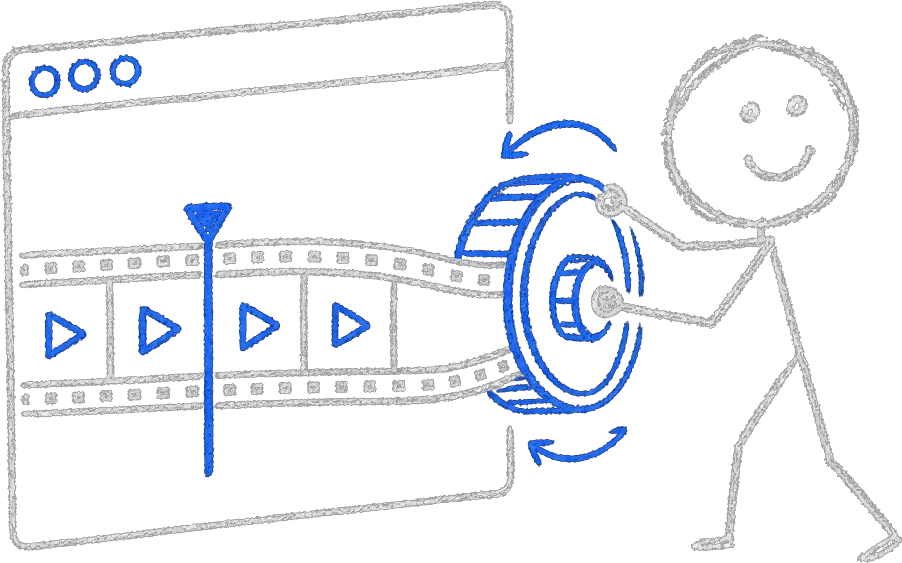
What Is the Core Idea Behind Scroll Animation?
A scroll animation website maps scroll position to animation time. The page measures how far the visitor has scrolled through a section, converts that to a number between 0 and 1, and uses it as the animation's playhead. Scrolling forward plays the sequence, and scrolling back reverses it exactly.
However polished it looks, every scroll-animation site does this same thing, which means the visitor is holding the scrubber rather than watching an animation play. The rest of this note (the implementations, the libraries and the performance rules) is about getting that one mapping right.
That mapping is why good scroll sites feel calm and bad ones feel jumpy. An animation driven by anything other than the progress number, such as an easing timer, bursts of scroll events or a one-way trigger, drifts out of sync with the visitor's hand. Bound to progress, the page is deterministic: the same scroll position shows the same frame in either direction.
How Do You Implement the Scroll Playhead?
Three implementations cover nearly every scroll animation site: scrubbing a pre-rendered video's current time, drawing exported image frames to a canvas, and driving live DOM or WebGL elements with GSAP ScrollTrigger. The right choice depends on what is being animated: offline-rendered footage, exported stills, or real elements on the page.
Once scroll progress exists as a clean 0-to-1 signal, something has to consume it. Each of the three approaches below trades visual ceiling against asset weight and flexibility, and most flagship pages end up using one as the spine and another for accents.
Video Scrubbing
Render the sequence as a video, then map scroll progress to the video's current time. Our own homepage works this way: a pre-rendered sequence is scrubbed by scroll, so a cinematic shot plays exactly as fast as the visitor moves. The advantage is visual quality, since anything you can render offline can ship. The difficulty is encoding, because smooth backwards seeking needs a short keyframe interval and default encoder settings never give you one.
Frame Sequences on Canvas
Export the animation as hundreds of still images, preload them, and draw the right frame to a canvas based on progress. Seeking is instant in both directions, which is why the most famous product-story sites use it. The cost is asset weight and memory. Hundreds of images need careful sizing, modern formats and progressive loading, or the visitor pays for the smooth playback with a long wait up front.
GSAP ScrollTrigger
To animate real elements (DOM, SVG or a live 3D scene), GSAP's ScrollTrigger with scrub enabled maps a whole animation timeline onto a scroll range. Its docs describe scrub the same way this note does: it links the animation's progress directly to the scrollbar, so it acts like a scrubber. Pinning holds a section fixed while the timeline plays through it. We use it on most of our builds because timelines compose: one scrubbed timeline can move text, swap images and drive a WebGL camera together, and that is how the scroll-driven heroes in our Three.js for business sites note are wired.
Why Do Scroll Animation Sites Use Smooth-Scroll Libraries?
Scroll animation sites use smooth-scroll libraries because native scrolling moves in discrete steps, especially on a mouse wheel, and each step shows up as a visible jump in a scrubbed animation. The libraries interpolate scroll position into a continuous signal while keeping the native scrollbar and accessibility behavior intact, so scrubbed motion reads as fluid instead of stuttering.
Libraries like Lenis do this interpolation, and the animation reads scroll through the library instead of from raw events, which is what stops the page feeling like a slideshow. Keep exactly one source of scroll position and have every animation read from it, because two systems fighting over scroll position is the classic cause of broken parallax.
What Are the Performance Rules?
Animate only transform and opacity, render in a requestAnimationFrame loop instead of raw scroll handlers, preload assets before revealing the experience, budget on a mid-range phone, and keep pinned sections short. Scroll animation runs during the most latency-sensitive interaction on the web, so every dropped frame is felt immediately.
The first rule below is stated outright in Google's animation guidance: avoid any property that triggers layout or paint, and keep animations on the compositor. The visitor's hand is on the wheel the whole time, so we hold these rules on every build:
- Animate only transform and opacity. Properties like width, top, or margin force layout recalculation on every frame; transforms run on the compositor.
- Never animate inside a raw scroll event handler. Read scroll position and render in a requestAnimationFrame loop, so work happens at most once per frame.
- Gate the experience on preloading. A scrubbed sequence that is still loading frames stutters as the visitor scrolls, so show a loading state and reveal the section once the assets are ready.
- Budget on a mid-range phone. Scroll performance on a developer's desktop proves nothing, because the failures show up on a three-year-old Android over cellular.
- Keep pinned sections short. Every pin makes the page longer, and with too many of them visitors feel trapped in a presentation they cannot skip.
When the scrubbed element is a canvas, two more numbers matter: cap the device pixel ratio at 2, because rendering beyond that burns frame budget for sharpness nobody can see, and size the canvas to its displayed dimensions rather than the full viewport when the animation only occupies a band of the page. These are the same mobile budgets we hold in our React Three Fiber in production work. Most scroll jank we are asked to diagnose traces back to one of the items on this list, and the fix is usually a one-day change rather than a rebuild.
These rules also show up in measurable scores. Scroll-heavy pages are scored on the same field metrics as every other page, which are the numbers our SEO content systems are built to protect. A hero that ships megabytes of frames late drags Largest Contentful Paint past budget, a saturated main thread pushes interaction latency past the INP line, and frames that shove the layout around register as layout shift. The thresholds, measured at the 75th percentile of real visits, come from Google's Core Web Vitals:
| Core Web Vital | What it measures | Good threshold |
|---|---|---|
| Largest Contentful Paint (LCP) | Loading | 2.5 seconds or less |
| Interaction to Next Paint (INP) | Interactivity | 200 milliseconds or less |
| Cumulative Layout Shift (CLS) | Visual stability | 0.1 or less |
How Do You Respect Reduced Motion?
Respect it by detecting the prefers-reduced-motion preference, which operating systems expose for visitors who get motion sickness from large moving elements, then keeping the content and layout and replacing scrubbed motion with static frames or simple fades. With the motion off, the page should still read as a well-designed document.
MDN documents prefers-reduced-motion along with the reason it exists: scaling and panning large objects are vestibular motion triggers. A scroll site that ignores the setting is broken for those visitors, and no performance work fixes that, so the story has to make sense with the motion turned off.
When Is Scroll Animation the Right Call?
Scroll animation is worth its cost when the page has a real sequence to show, such as a product that assembles, a process with stages, or a brand moment that benefits from pacing. It is the wrong tool for content-dense pages where visitors want to scan and leave, so we reserve it for flagship pages.
We use it on flagship pages and keep the rest of the site fast and conventional, across both our 3D website design work and our broader website builds. A scrubbed hero only pays off if the page beneath it still loads fast and reads clearly.